Updates1 min read
Introducing TiKC: know where your day went
Why I built a time tracker that starts with one tap, and what it shows you about your day.
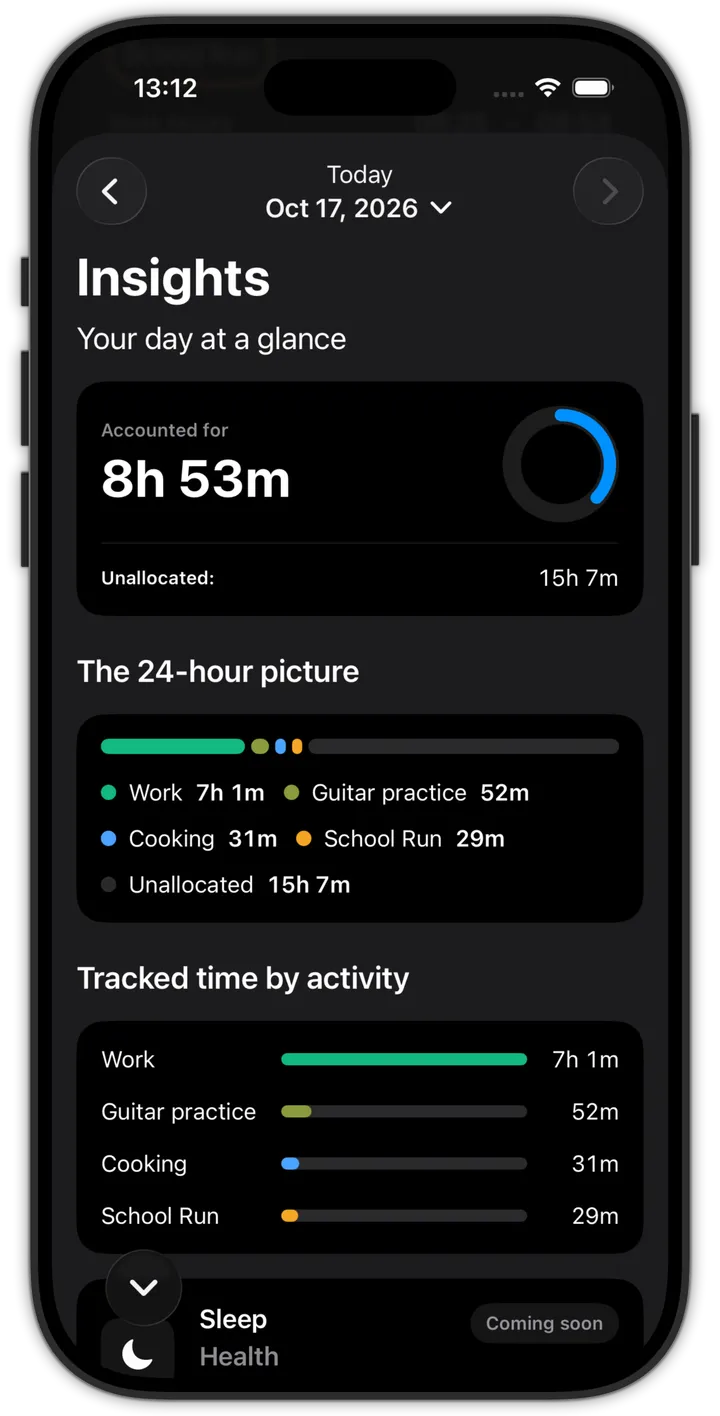
Most days end with the same question: where did the time go? I had a rough idea, but whenever I tried to track it properly, the tracking itself took too much effort. So I built TiKC.
Start with one tap
Pick an activity and the clock starts. When you switch to something else, TiKC switches with you. There’s nothing to set up each time and nothing to remember to stop.
The aim is simple: tracking time shouldn’t take time.
See your whole day
The Insights screen adds everything up for you:
- how much of today you’ve accounted for
- a colour-coded 24-hour picture of your day
- tracked time for each activity, side by side
And while a timer is running, a Live Activity keeps it on your Lock Screen and in the Dynamic Island.